HomeKit,
done right
Compact, Settings-style HomeKit controller for iPhone and iPad. Every device fits in one row – tap to expand for full control.
iPhone · iPad

3-day free trial – then one-time purchase.
Includes macOS Pro version.
Design
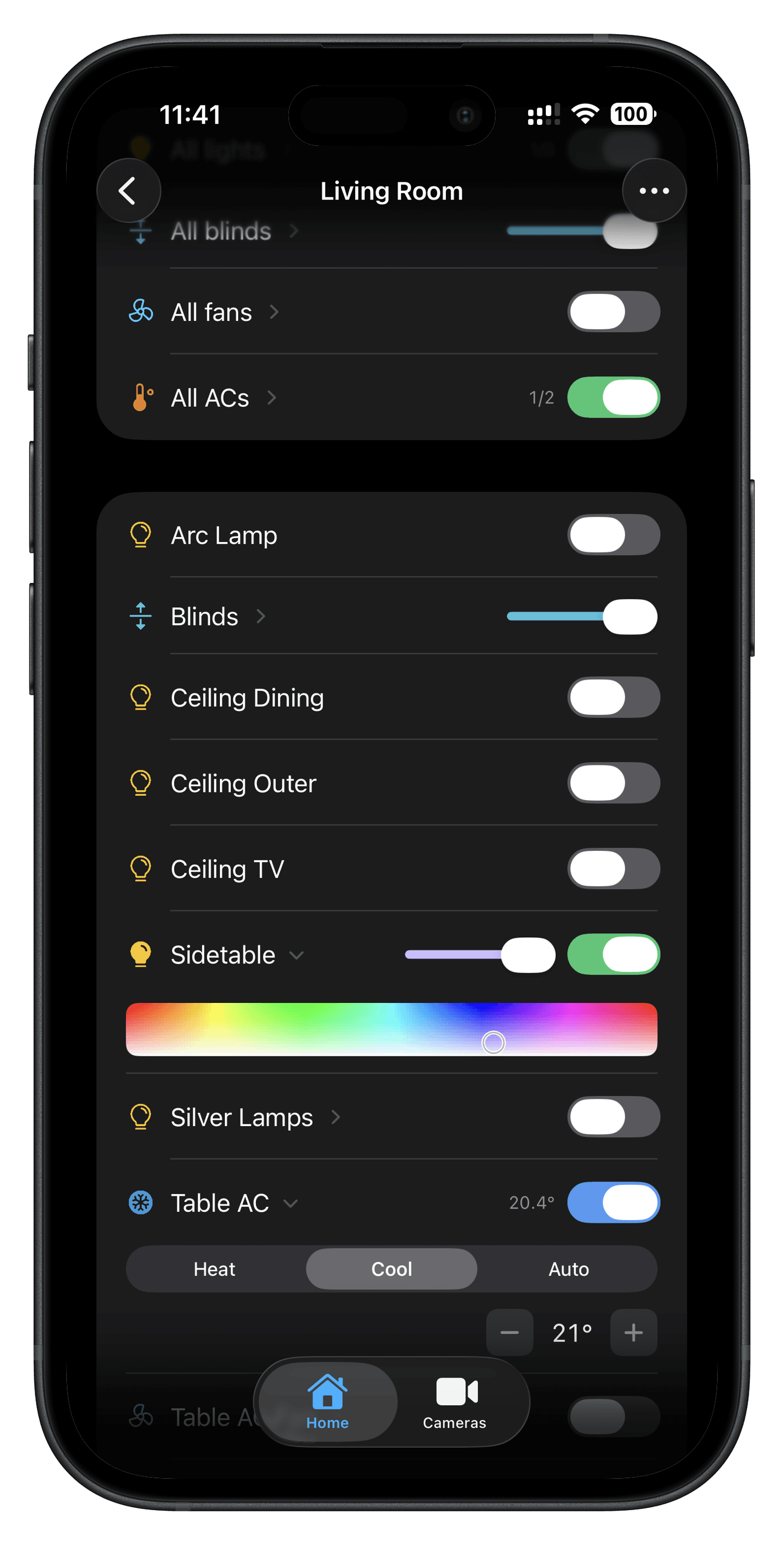
Compact by default, detailed on demand
Every device is a single, compact row – icon, name, and inline control. Tap to expand and reveal full controls: colour pickers, temperature steppers, mode selectors, fan speed. No wasted space, no separate screens. Feels like iOS Settings but controls your entire home.
SwiftUI · Settings-Style · Inline Controls
Cameras
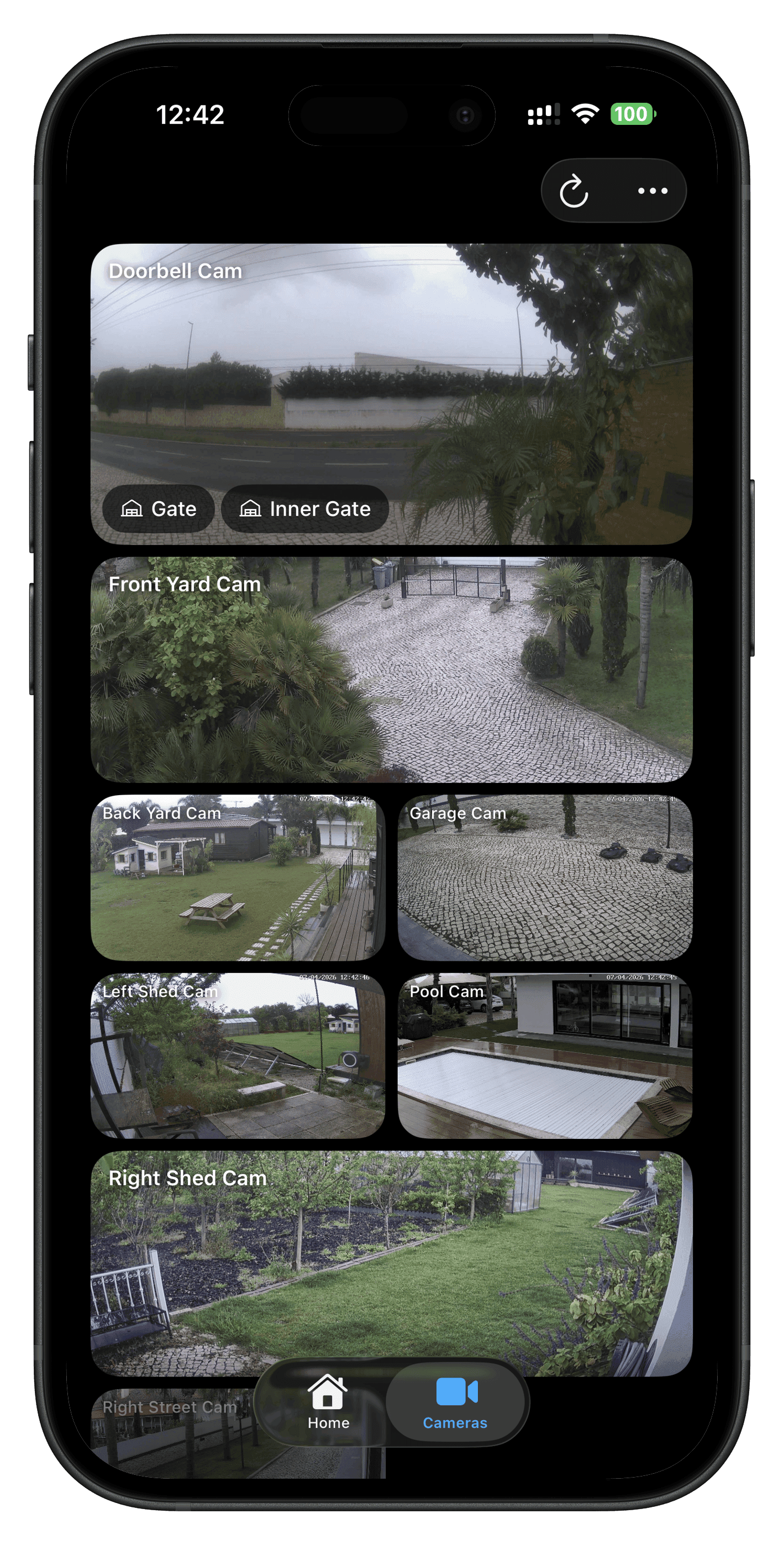
Customisable camera mosaic
All your cameras in one customisable mosaic grid with live snapshots. Resize tiles to full or half width, drag to reorder, and tap any tile to jump into the live stream. And right on top of every snapshot or live feed: buttons for the lights, locks and garage doors that belong to that camera – toggle them without ever leaving the picture. Pinch to zoom, double-tap to focus, rotate for landscape playback.
Mosaic Grid · Live Snapshots · Inline Controls
Auto groups
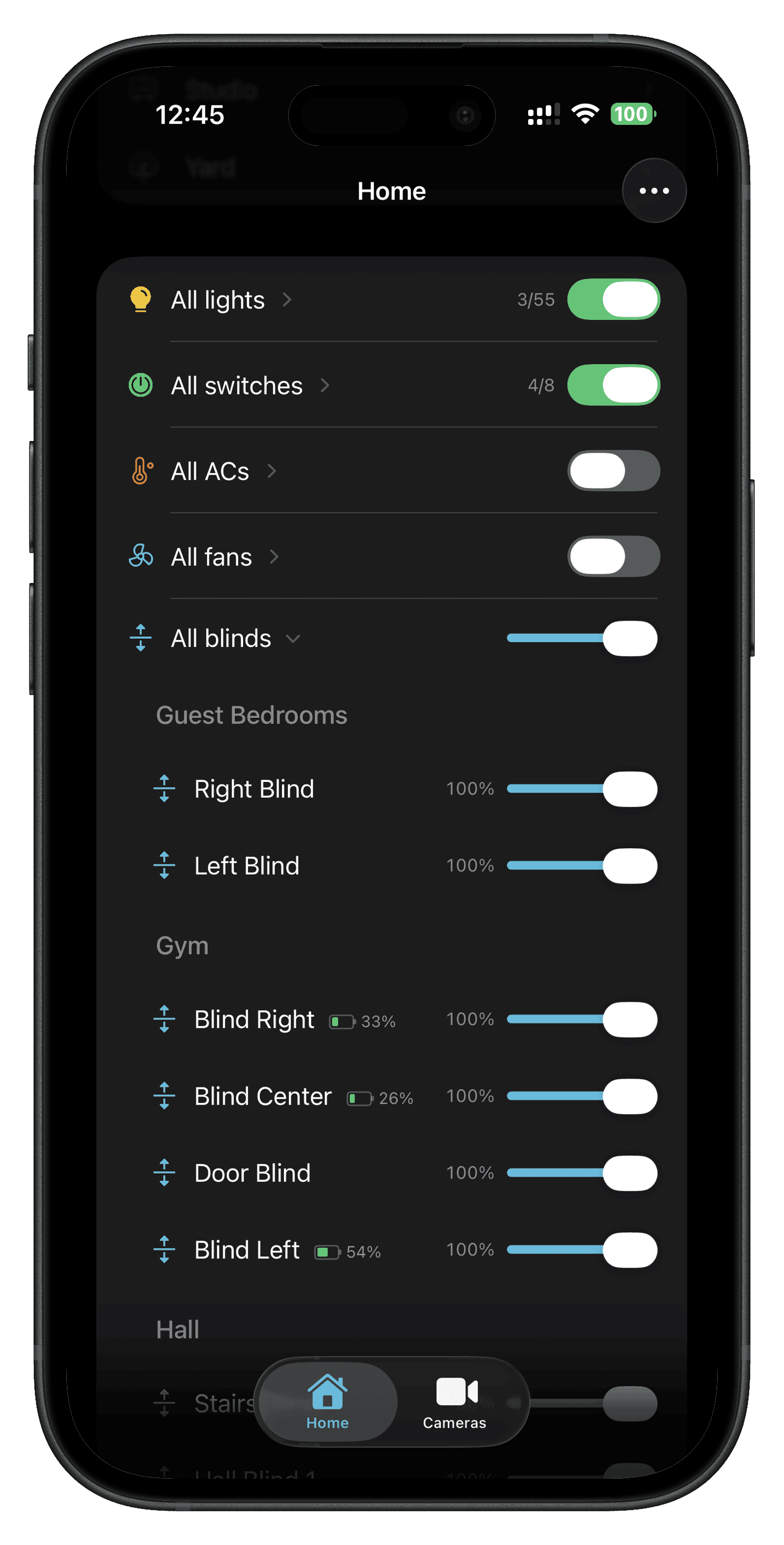
Same accessories, grouped automatically
Itsyhome detects similar accessories in each room and groups them for you – all the lights, blinds, AC fans, switches – with a single master toggle and one expandable list. The same logic builds whole-home summaries: tap to dim every light at once, close every blind, or run every fan. No setup, no manual grouping. Hide the auto-group anywhere you don't want it.
Auto-Detected · Master Toggle · Whole-Home Summaries
Personalise
Make it yours
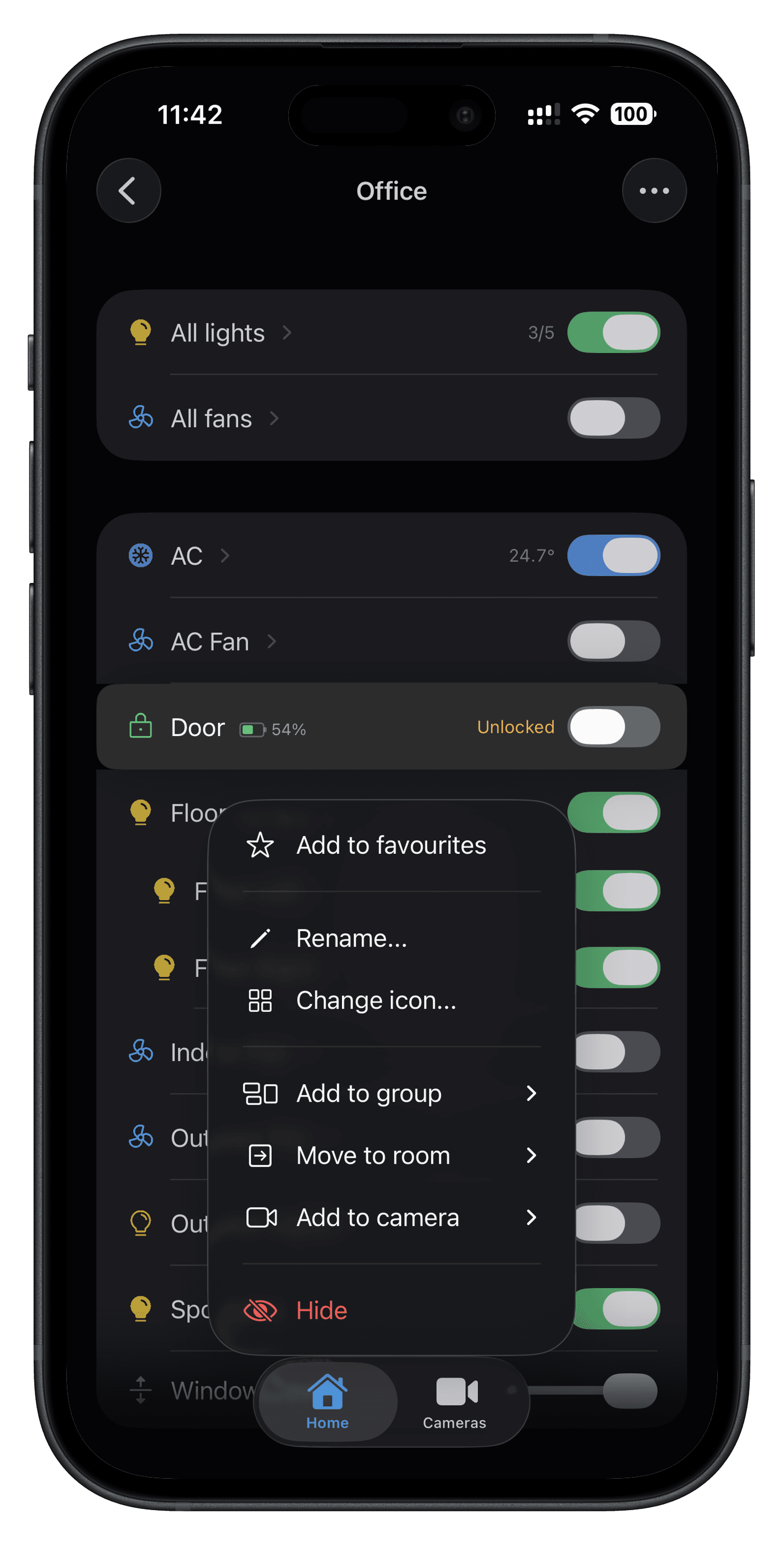
Long press any device to rename, change icon, pick a colour, or add to favourites. Group devices to control them together. Reorder everything – rooms, devices, cameras, scenes. Configure which sections appear on each screen. Hide what you don’t need.
Long Press · Drag to Reorder · Hide Anything
Automations
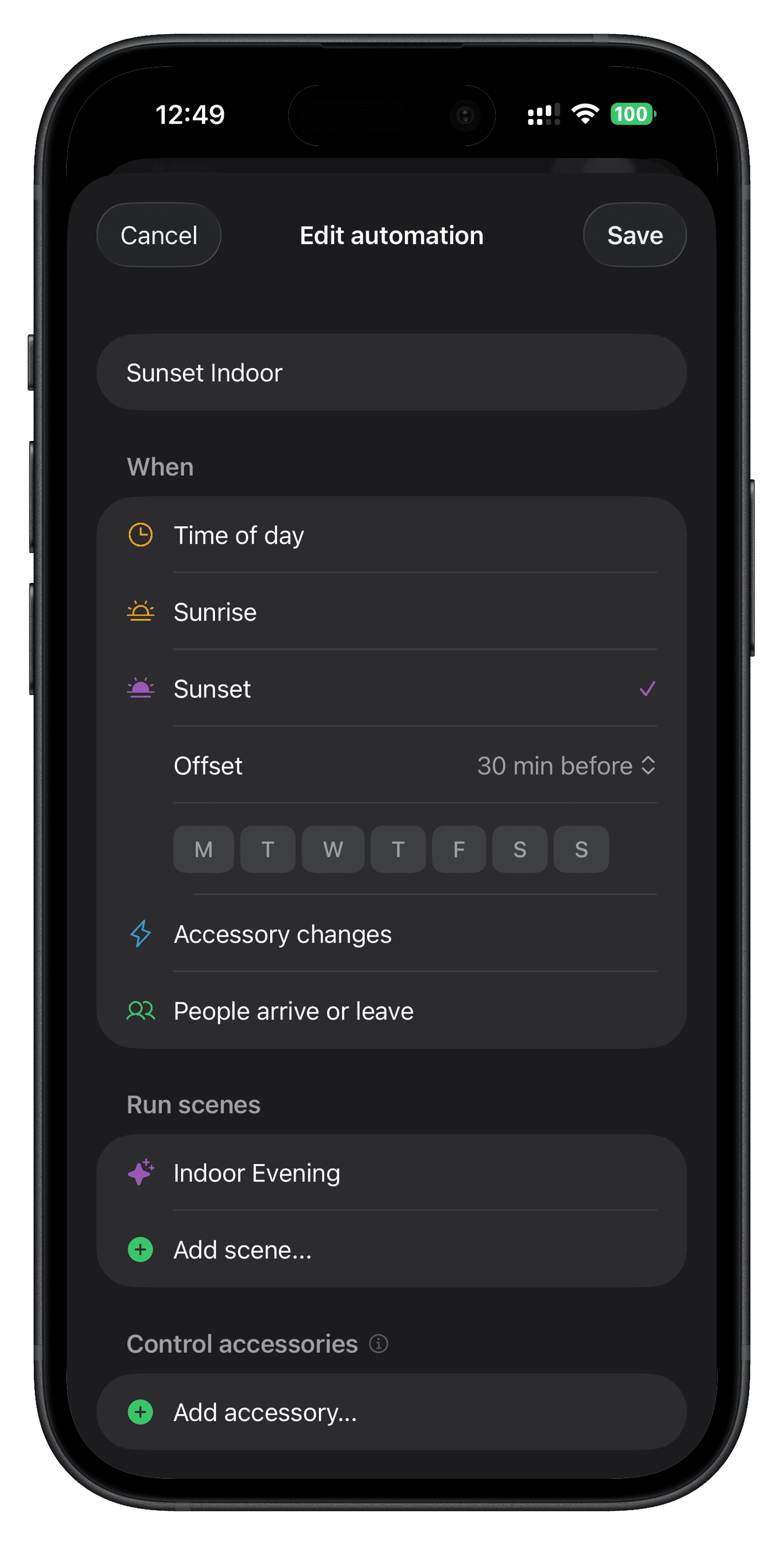
Edit automations without leaving the app
Browse, toggle, test, edit and create HomeKit automations right from Itsyhome. Time of day, sunrise / sunset with offsets, accessory triggers and people events all in one editor. Day / night / specific time conditions. Run only once, turn off after a duration. Reuses the same controls you already know to set accessory target states.
HomeKit Automations · In-App Editor · Triggers & Conditions
Icons and colours
Thousands of icons, your palette
Pick from the full Phosphor icon library for any device, scene, or group. Choose a colour from the built-in palette or keep the smart defaults – yellow for lights, blue for fans, green for locks. Every room gets an icon matched to its name automatically.
Phosphor Icons · Custom Palette · Smart Defaults

Companion app
Apple TV remote
Itsytv is the perfect companion to Itsyhome – a native Apple TV remote for iPhone, iPad and Mac with trackpad navigation, app launcher and now-playing controls. Pair multiple Apple TVs and switch between them instantly.
Trackpad Navigation · App Launcher · Now Playing
Learn more at itsytv.app →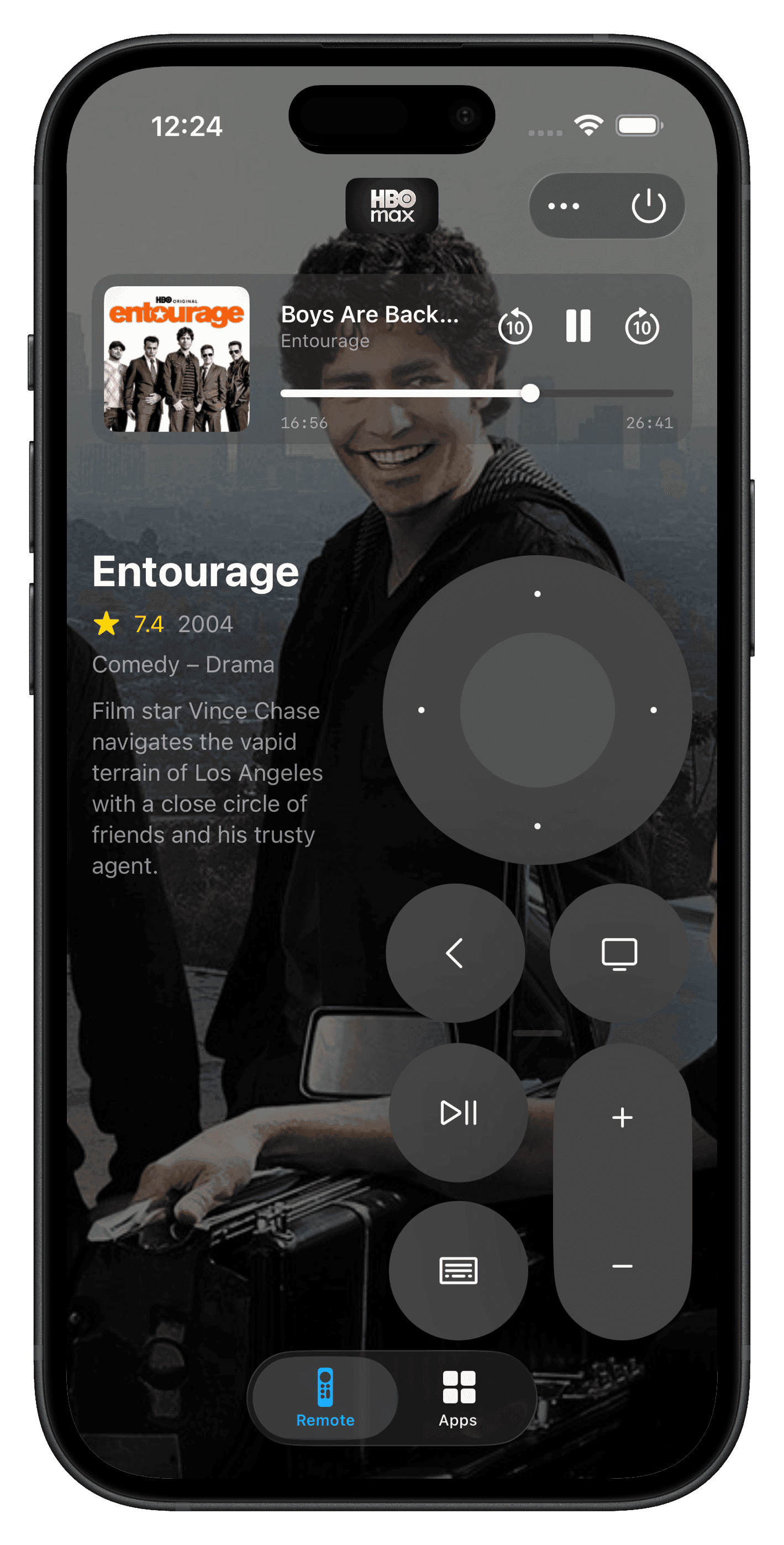
Everything you need
Settings-style UI
Familiar iOS design – rooms as rows, tap to enter, controls inline. No learning curve.
Expandable controls
Compact rows that expand in-place to reveal colour pickers, mode selectors, and sliders.
18 device types
Lights, thermostats, AC, locks, blinds, fans, garage doors, security, humidifiers, valves, and every sensor.
Scenes
One-tap activation with live status – the toggle reflects whether the scene is currently active.
Favourites and groups
Pin devices to the top. Group them to control together with one tap.
Custom icons and colours
Thousands of Phosphor icons with a colour palette for every device, scene, and group.
Reorder everything
Drag to reorder rooms, devices, cameras, and scenes. Configure section visibility per screen.
Lock screen widgets
Quick-glance widgets showing device states without unlocking your phone.
Universal purchase
One purchase unlocks iOS and macOS. Restore anytime across all your devices.
One price, forever
3-day free trial. Then a single one-time purchase – no subscription. Unlocks macOS Pro too.
Requirements
iOS 17 or later · iPhone or iPad · HomeKit-compatible devices


