One click,
full control
Your entire smart home in the Mac menu bar. Lights, thermostats, locks, blinds and more – one click away.
Free to download and use. Requires macOS 14 Sonoma or later.
What Apple Home can't do on your Mac
Itsyhome uses the HomeKit home you already set up in Apple Home, so there's nothing to move or replace. On the Mac, it adds:
A home in the menu bar
Apple Home on the Mac is a separate window. Itsyhome keeps every device, scene and room one click away in the menu bar.
Shortcuts and pins
Toggle devices and run scenes with global keyboard shortcuts, or pin any of them to the menu bar as its own icon.
Home Assistant
Use Home Assistant alongside HomeKit or instead of it. Apple Home can't connect to it.
Sensor history Pro
30 days of temperature, humidity, contact and motion history, in charts stored on your Mac.
Duration automations Pro
Automate on a door left open for 15 minutes. Virtual sensors make it work in Apple Home too, in HomeKit mode.
Doorbell pop-up Pro
A live camera panel opens when someone rings, with an optional chime.
Pro also adds Stream Deck, a scripting API, URL schemes and switching homes by Wi-Fi network.
Compare Itsyhome with Apple HomePin anything
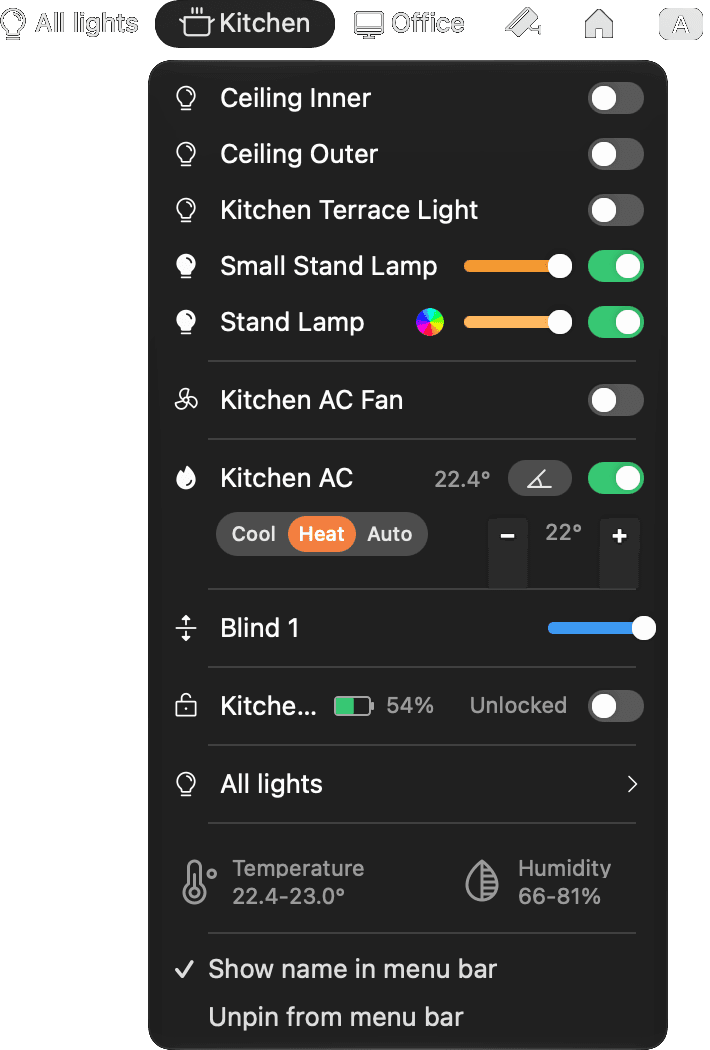
Pin your most-used rooms, accessories, scenes, or groups directly to the menu bar for instant one-click access. No need to dig through menus – your essentials are always front and center, right where you need them.
Keyboard shortcuts
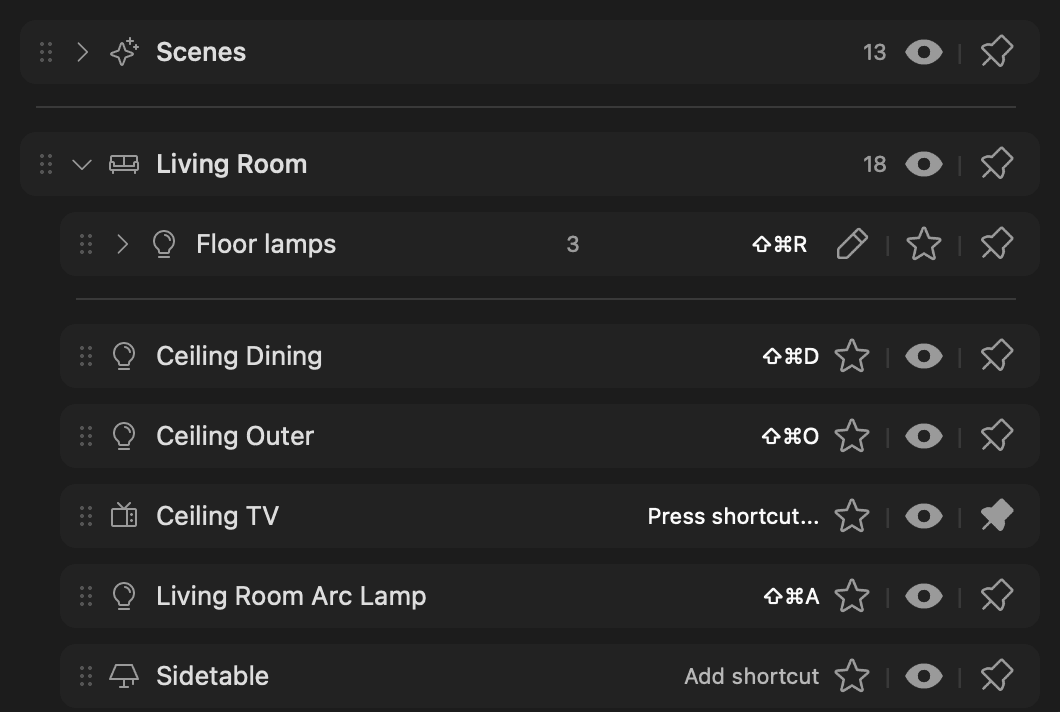
Assign global keyboard shortcuts to your favourite devices and scenes. Toggle lights, lock doors, or trigger scenes without lifting your hands off the keyboard. Works system-wide, even when Itsyhome isn’t focused.
HomeKit & Home Assistant
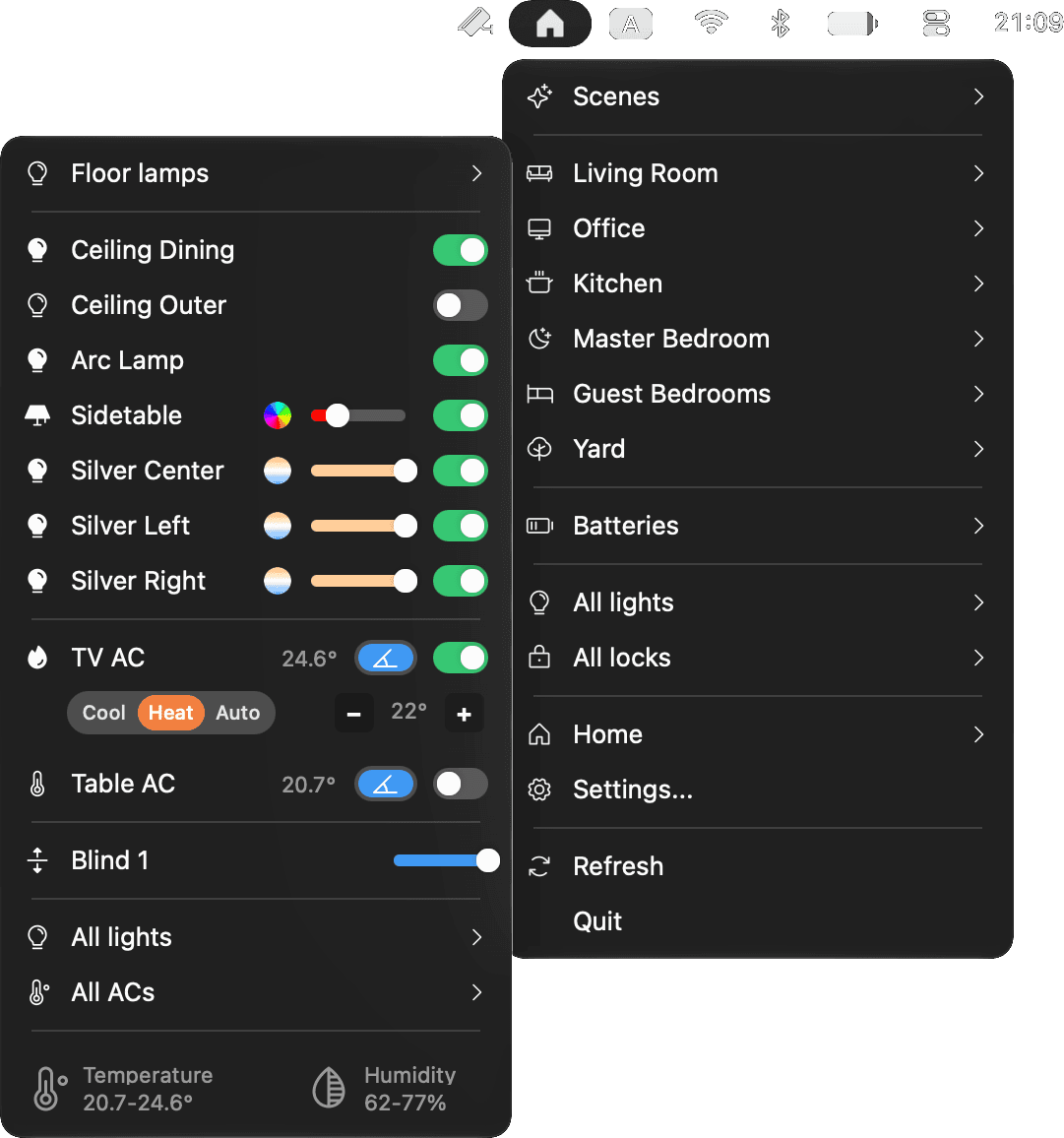
Use Itsyhome with Apple HomeKit, Home Assistant, or both. Switch between platforms anytime – your layout, groups, favourites, and settings are preserved separately for each. No need to start over when you try a different setup.


Tiny and lightning fast
Built with AppKit and Swift from the ground up – no Electron, no web views. Itsyhome uses virtually no CPU or memory while idle and launches instantly. It’s a true macOS citizen that feels right at home next to your other menu bar apps.
Plus the basics you’d expect
Accessory groups
Control several accessories as one – all the living room lights, or every blind downstairs.
Multiple homes
Switch between homes in a click. Each keeps its own rooms, accessories and scenes.
Favourites
Pin your most-used accessories and scenes to the top of the list, in the order you like.
Hidden items
Hide accessories, scenes or whole rooms you don’t need. They keep working, out of the way.
Loved by users
“This is legitimately incredible. Installed immediately, worked as promised, upgraded to pro! Love it!”
u/edtheitguy
“Oh dang, this is awesome. I use another one to get keyboard combos to turn on my video light for work but I’m gonna check this out!”
u/breddy
“This is not only what I’d wished for years was a native Home feature, but you have clearly implemented this in the most quintessential Apple way possible. Simple UI, beautiful, comprehensive, functional, consistent native UI flows, clearly done with love and painstaking attention to detail.”
u/RealProfessorFrink
“This is phenomenal, and bless you for the lack of subscription. I’ve had it up to here with the subscription model for everything under the sun.”
u/terravitam
“This is fantastic! Instant download and purchase. I was trying to recreate this using widgets in macOS, but I think this is a MUCH better idea. Thank you!”
u/PaRkThEcAr
“This is AMAZING. What a great idea! It also looks lovely. And no subscription…AND open sourcing it…PHENOMENAL!”
u/bretonics
“Love the clean and simple look, great work!”
u/Voosman12
“Awesome, only took 60 seconds to decide to upgrade to Pro”
u/Informal_Bank_7373
Itsyhome Pro
Cameras, sensor history, automation tools and deep integrations for power users – one unlock, no subscription.
See who's at the door without lifting a finger Pro
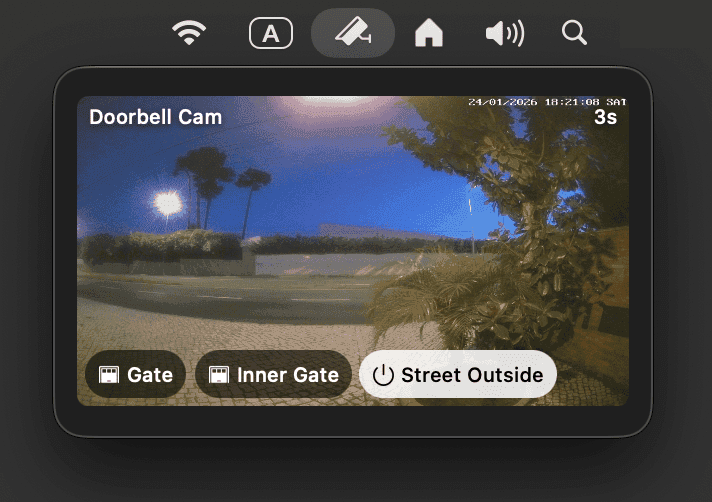
Live camera feeds in the menu bar with quick-action buttons for nearby accessories, and talk back through cameras that have a speaker. When the doorbell rings, a live camera panel opens automatically, with an optional chime. Home Assistant cameras stream via WebRTC for low-latency video.
See how your home changes over 30 days Pro
Turn on sensor history and Itsyhome keeps 30 days of readings on your Mac: temperature and humidity as charts, contact and motion sensors as timelines. Switch between 24 hours, 7 days and 30 days, with the minimum, maximum and current value at a glance.
Automations that wait for the right moment Pro
Fire an automation when a state holds for a set time, like a door left open for 15 minutes. Itsyhome publishes virtual sensors – contact, motion, occupancy, leak, smoke, CO and CO2 – through its own built-in HomeKit bridge, so Apple Home can automate on them too. Works in HomeKit mode.
Make it look exactly like yours Pro
Personalize any accessory, scene, or group with your own icons. Choose from thousands of Phosphor icons to make your setup truly yours.
Trigger your home from anywhere Pro
Integrate with Shortcuts, Alfred, and Raycast. Trigger any device or scene via URL schemes from any app that supports custom URLs.
Set up once, use on every Mac Pro
Sync favourites, hidden items, and keyboard shortcuts across all your Macs automatically. Set up once, use everywhere.
A physical button for every device Pro
Control your home from physical buttons. Live device state on each key with icons automatically synced from Itsyhome. Tactile, instant, satisfying.
Get it on the Elgato Marketplace →Wire your home into anything Pro
Receive HTTP calls to trigger any device or scene. Connect with IFTTT, Zapier, n8n, or your own scripts. Full command-line control for shell scripts, cron jobs, and automation workflows.
Works with all your devices
Every kind of accessory gets controls made for it, in HomeKit and Home Assistant alike. Try three of them:
Lights
On/off, brightness and colour
Thermostats
Temperature and modes
Blinds
Position and tilt
And the rest of your home
- Switches and outlets
- Door locks
- AC units
- Fans
- Garage doors
- Security systems
- Doors
- Windows
- Humidifiers
- Air purifiers
- Valves
- Faucets
- Slats
- Temperature sensors
- Humidity sensors
Free on your Mac
Download Itsyhome and use it for free. The optional Pro unlock adds cameras, sensor history, iCloud sync and the automation and webhook integrations – $12.99 once, with no subscription. The same unlock covers iPhone, iPad and Apple TV, with Family Sharing.

Prices vary by region. Requires macOS 14 Sonoma or later and a HomeKit home, a Home Assistant server, or both.
The Mac app is open source on GitHub


